
| Brand Name | TP-Link |
| Wireless Communication Standard | 802.11bgn |
| Data Transfer Rate | 750 Megabits Per Second |
| Frequency Band Class | Dual-Band |
| Special Features | Access Point Mode, LED Indicator, WiFi Mesh |
| Color | White |
| Frequency | 60 Hz |
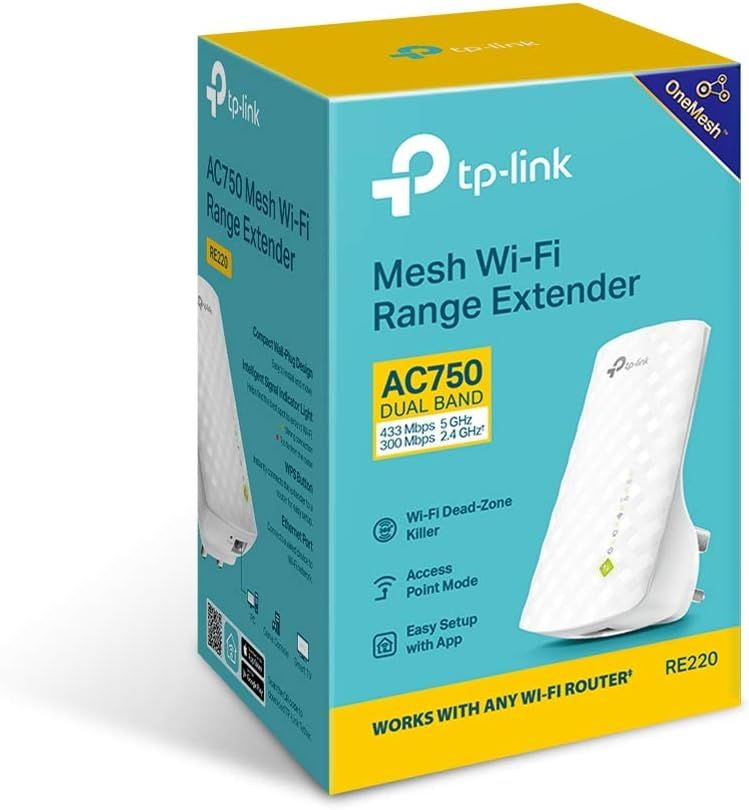
| Included Components | AC750 Wi-Fi Range Extender RE220, Quick Installation Guide |
| Item Weight | 200 Grams |
| Item Dimensions D x W x H | 6.6D x 11W x 7.6H centimetres |
Eliminate Wi-Fi Dead Spots Extend High-Speed Wi-Fi Across Your Home
AC750 Wi-Fi Range Extender
RE220
Boost Your Wi-Fi to hard-to-reach Areas
Place the RE220 between your wireless router and wireless devices, expanding Wi-Fi coverage while eliminating Wi-Fi dead zones. The dual-band Wi-Fi up to 750 Mbps can not only extend to 32,00 sq. ft. (300m2) with the router, but also make good use of your high ISP speed , ideal for HD video streaming, online gaming and other bandwidth-intensive tasks.
 RE220 Coverage
 Router Coverage
Easily extend your Wi-Fi range with the push of a button
Existing router
Stable Dual Band Connection for More Devices
The RE220’s Wireless AC technology creates faster and stronger Wi-Fi connections across your home and extends dual band Wi-Fi up to 750 Mbps. Dual 2.4 GHz and 5 GHz bands provide Wi-Fi connections to up to 32 devices, allowing you to enjoy stable and drop-free experience on all your devices.
2.4GHz
300Mbps
5GHz
433Mbps
- Phone
- Pad
- Laptop
- Smart Bulbs
- Smart Plugs
750 Mbps
UP TO32devices
MORE THROUGHPUT
UP TO 150% THAN N300
Simple Two-Step Setup
Step 1: Press the WPS button on the router and RE220 to easily connect the extender to the network. Or connect the
extender via Tether app or Web UI if your router doesn’t support WPS.
Step 2: Relocate the extender to a better location for optimal Wi-Fi coverage with the help of the smart signal indicator light.
Step 1
Step 2
- Strong signal
- Weak signal
An Access Point as well as a Wireless Adapter
The Ethernet port of RE220 can easily turn your wired Internet connection into a wireless access point. And it can also function as a wireless adapter to connect wired devices.
- Game Console
- Desktop
- TV
Ethernet Port
Connects wired devices to Wi-Fi networkAP MODE
Universal Compatibility
The RE220 is compatible with any of your existing Wi-Fi router or access point, making it easy to expand and strengthen your Wi-Fi network.
Works with any Wi-Fi router or access point